Getting Started
1. Connect the device to the internet
Connect the device to a local network or router (with DHCP enabled).
Plug in one end of an ethernet cable to the device's ethernet port and the other end to the host machine's ethernet port.
Info
This works on some hosts (ex. Windows) that are able to communicate with the device using a link-local address with no configuration needed. If this does not work on your host machine, use one of the other options.
Plug in one end of an ethernet cable to the device's ethernet port and the other end to the host machine's ethernet port or an unmanaged ethernet switch connected to your host.
When booting without an internet connection, arch 1 assigns itself the static IP address of 10.200.1AB.1CD where ABCD are the last four digits of the serial number (arch1-0ABCD).
For example, the device ARCH1-02345 woud assign itself the address 10.200.123.145.
Follow this guide to assign a static IP to your host machine using the following values:
| Name | Value |
|---|---|
| IP Address | 10.200.0.2 |
| Subnet Mask | 255.255.0.0 |
2. Determine the device's serial number
You can find the serial number at the bottom of the label at the back of the device.
Label

3. Check Connectivity
To test your connection to the device, open the jupyter notebook in your web browser, or use the ping command in the host machine's terminal.
Ping
# Replace ABCD with the last four digits of the serial number
ping arch1-0ABCD.local
4. Launch the jupyter notebook
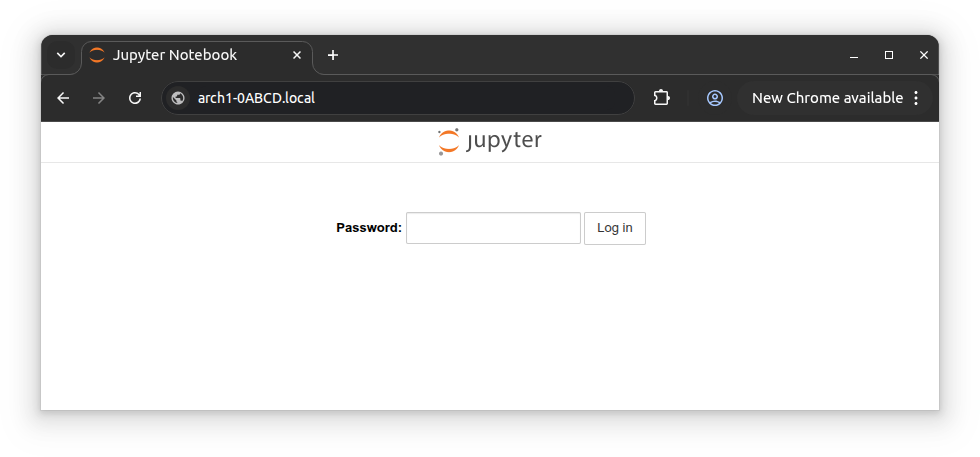
Type the address arch1-0ABCD.local in your browser, where ABCD is the last four digits of the device serial number. The password for the notebook is xilinx.
5. Launch an example model
Download the project files for the Boost Converter example. Upload the boost_converter.ipynb, boost_converter.bit and boost_converter.hwh files to the arch1 device using the Upload button on the web interface.
Warning
The PYNQ software stack provides root-level access to any device that can connect to it. Arch 1 devices must therefore only be connected to a secure, isolated networks or directly to a host computer.